
How to use StoryTime Karaoke
Use your device or our book.
StoryTeller Club Members can stream videos of ALL published stories whenever they want.
The StoryTime Karaoke Book comes with instructions on how to access the soundtracks.
True Karaoke Video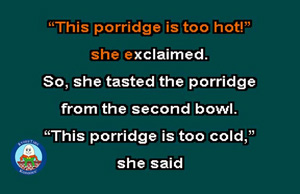 You read the words instead of singing the words as they are highlighted on the screen. There is a volume and speed control built into the player when you click on the gear icon.
Mobile Users:
Make sure you either have your volume turned up or connected to a Bluetooth speaker.
Mobile users may need to enlarge the video to fill the screen using the arrows.
Desktop users:
Make sure you have your volume turned up on your speakers.
Can make the video go full screen using the arrows.
If not using full screen mode, desktop users may need to decrease the size of video using Ctrl(minus sign) or Ctrl(mouse wheel).
The Book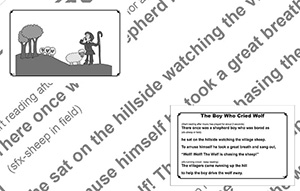 The book comes with a QRCode printed inside in order to access the soundtracks to be read along with the book. You can either stream from the website or download a zip file to save for off-line enjoyment.
Each story in the book is printed with the sound effects cues in parenthesis so you know where you should be within the story.
You will also see the speed control built into the player for if you need to slow down or even speed up the soundtrack.